What Is a Terminal Block Jumper? Types, Uses and Installation Guide
Published: Author: Rachel
If you have ever opened an industrial control panel, you have probably seen a row of identical terminal blocks with a thin metal bar running across their tops, feeding the same voltage to every position. That bar is a terminal block jumper. A terminal block jumper is a conductive connector that electrically links two or more adjacent terminals so they share a common potential, letting one feed supply power or a signal to several circuits without running a separate wire to each one. This guide explains what jumpers are, the main types, what they are used for, and how to install them correctly.
Quick Answer: What Is a Terminal Block Jumper?
A terminal block jumper (also called a jumper bar, link, or bridging connector) is a short conductive piece, usually tinned copper or brass, that plugs into the jumper slots of compatible terminal blocks. When installed, it creates a common electrical node across every terminal it touches.
Instead of daisy-chaining a wire from one terminal to the next, you land one feed conductor into a single terminal and let the jumper distribute that potential to all bridged positions. This reduces wiring, shrinks the risk of loose connections, and makes the panel easier to read. Jumpers are available in fixed and cut-to-length forms, and in insulated versions for touch safety.
Types of Terminal Block Jumpers
Jumpers come in several formats, and the right choice depends on how many terminals you need to link and how often the configuration changes.
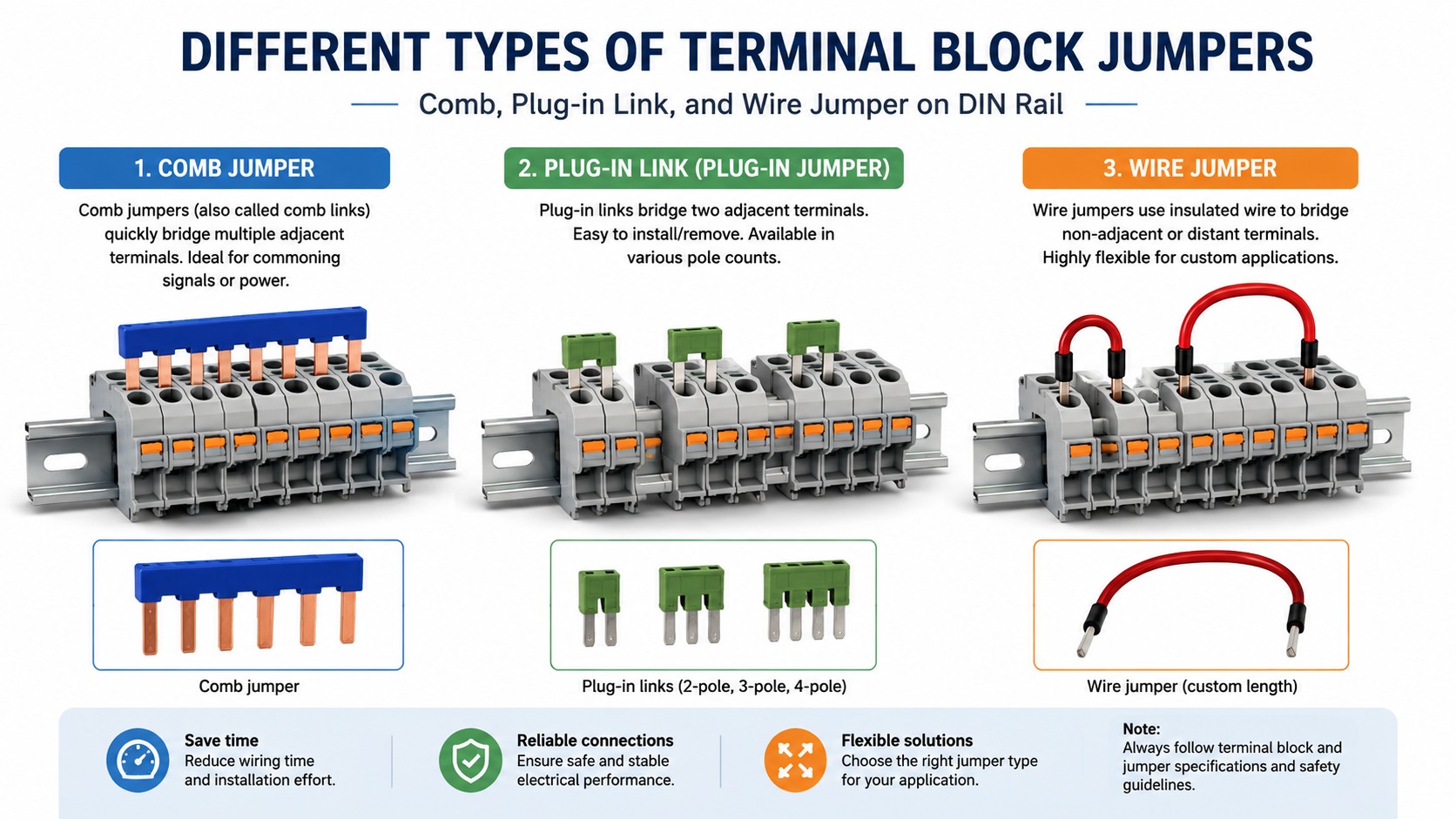
Comb Jumpers (Multi-Pole Bridging Bars)
Comb jumpers are factory-made bars with multiple pins in a row that plug into several adjacent terminals at once. They are the fastest way to bridge a full row and carry the terminal block’s full current rating. Most comb jumpers can be cut to length, and individual pins can be broken off to skip a terminal that must stay isolated, for example a fused position in the middle of a like-polarity string.
Plug-In Link Jumpers (Individual Links)
Plug-in links connect a specific pair of terminals rather than a whole row. They give precise control over which terminals share a node and are useful when only two or three positions need bridging, or when the configuration changes frequently.
Insulated Wire Jumpers
Pre-fabricated wire jumpers are short, ferrule-terminated leads that plug into adjacent terminal screws. They are the cleanest option when a comb cannot be used, for example when fused and distribution blocks alternate on the same rail, or when blocks of different pitch sit side by side.
Vertical and Multi-Level Jumpers
Multi-level terminal blocks stack two or three circuits in one footprint. Vertical jumpers bridge the corresponding levels across adjacent blocks, distributing a common potential on each level while keeping levels electrically separate.
What Are Terminal Block Jumpers Used For?
Jumpers exist to distribute one common potential across multiple terminals without extra wiring. The most common applications in industrial panels are:
Power distribution: feed one +24 V DC or 120 V AC supply into a single terminal and bridge the rest of the row to power multiple devices, sensors, and relays.
Common signal distribution: share a reference or common signal across several I/O channels while keeping individual returns separate.
Motor control circuits: distribute control power to contactors, overload relays, and auxiliary contacts with clear, labeled wiring.
Test and isolation points: a removable jumper can bypass a component during diagnostics, or open a circuit for current measurement without removing conductors.
Ground and PE distribution: bridge grounding terminals in a row so shields and chassis grounds share one PE path.
In short, anywhere multiple terminals must share the same potential, a jumper is usually neater and more reliable than a handful of parallel wires. Our guide to DIN-rail terminal blocks covers the blocks themselves, and the terminal block types overview explains where each style fits.
How to Install a Terminal Block Jumper
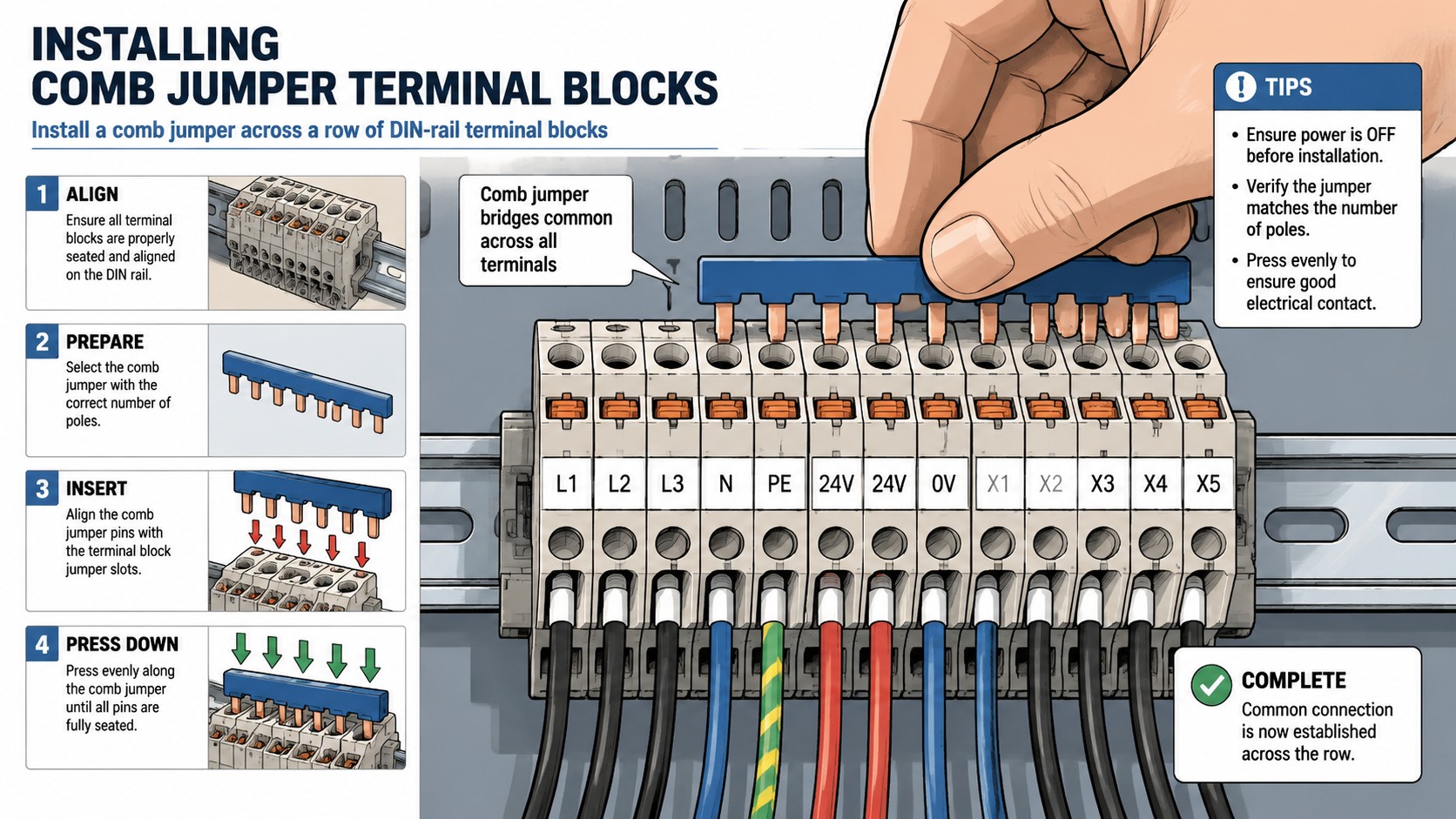
Installation is straightforward when the jumper matches the terminal block series, but a few practices keep the connection safe and reliable:
De-energize the circuit. Disconnect power before working on the terminal row.
Select the matching jumper. The jumper must match the terminal block manufacturer, series, and pitch. Jumpers are not universal between brands.
Cut to length. For cut-to-length jumpers, trim the bar so it covers exactly the terminals you need, and remove the pins for any position that must stay isolated.
Insert the jumper. Align the pins with the jumper slots on top of the blocks and push firmly until seated. For screw-clamp blocks, secure the jumper with the set screws where provided.
Land the feed. Connect the incoming conductor to one terminal of the bridged group, then connect each branch circuit to its own terminal.
Verify continuity. With power off, confirm continuity across the bridged terminals, then restore power and check the circuit functions.
Keep the jumper’s rated current in mind: the combined load of all bridged circuits must stay within the jumper and terminal block ratings.
How to Choose the Right Jumper
Selection comes down to four checks:
Compatibility: the jumper must match the terminal block series and pitch. Mixing brands or series is a common cause of poor contact.
Electrical rating: match the jumper’s voltage and current rating to the circuit, including the combined current of every bridged branch.
Format: a comb jumper for a full row, plug-in links for a few terminals, and insulated wire jumpers when blocks alternate with fused or different-pitch positions.
Environment: for exposed positions or touch-safety requirements, choose insulated jumpers or add covers to prevent accidental contact.
If you are building a control panel from scratch, the brass terminal block range and its compatible accessories are a good starting point; the manufacturer’s datasheet lists the matching jumper part numbers.
Common Mistakes to Avoid
Using the wrong series. A jumper from another brand or series may look similar but make poor contact or short against adjacent terminals.
Overloading the jumper. The jumper carries the combined current of all bridged circuits; check the rating before bridging several high-current branches.
Bridging terminals that must stay isolated. Skip the pin or cut the jumper to length when a fused or isolated position sits in the row.
Leaving jumpers exposed. In finger-safe panels, use insulated jumpers or covers on bridged rows.
Not verifying continuity. A loose pin or a partially seated comb can create an intermittent circuit that is hard to trace later.
FAQ
What does a terminal block jumper do?
A terminal block jumper electrically links two or more adjacent terminals so they share a common potential, allowing one feed to distribute power or a signal to several circuits without separate wires.
What are the types of terminal block jumpers?
The main types are comb jumpers (multi-pole bridging bars), plug-in link jumpers, insulated wire jumpers, and vertical jumpers for multi-level blocks. They also come in fixed-length and cut-to-length versions.
Can I cut a terminal block jumper to length?
Yes. Most comb jumpers can be cut to the exact number of positions you need, and individual pins can be broken off to skip terminals that must stay isolated.
Are terminal block jumpers universal?
No. Jumpers must match the terminal block manufacturer, series, and pitch. Using a jumper from a different series risks poor contact or short circuits.
What is the current rating of a terminal block jumper?
It depends on the model, but the jumper must be rated for the combined current of every bridged circuit. Check the datasheet for the specific terminal block series.
Conclusion
A terminal block jumper is a small component with a big effect on panel wiring: it turns a row of individual terminals into a shared distribution point, cutting wiring time and improving reliability. Choose the format that fits your terminal block series, match the rating to the combined load, and install it with the row de-energized and continuity verified. For terminal blocks and compatible jumper accessories, browse the brass terminal block range or contact the manufacturer for part numbers matched to your panel design.
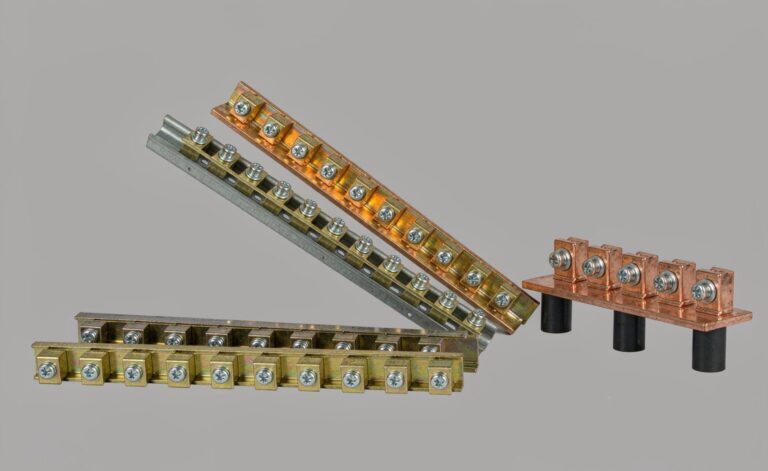
Four constraints determine neutral bar size: terminations needed, unbalanced current per NEC 220.61, largest conductor and mounting centres — with real dimension charts.
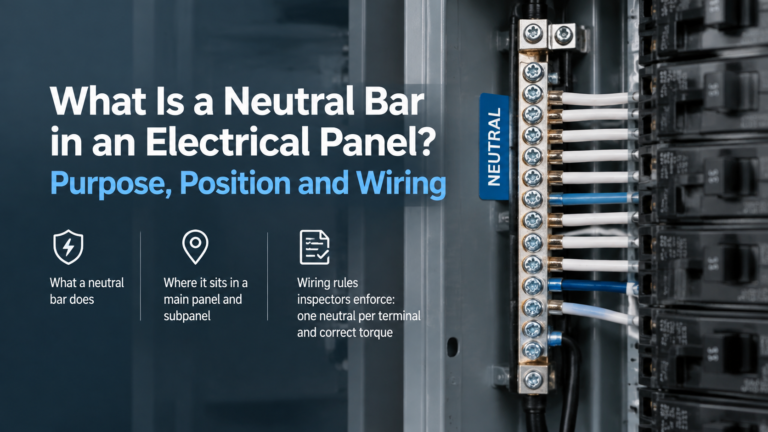
The neutral bar is the return path for every line-to-neutral load. How it works, where it sits, when it must be isolated from the enclosure, and the rules that govern it.