Why Is My MCB Busbar Overheating? Causes and Fixes
Published: Author: Rachel
A hot MCB busbar is one of the most dangerous problems in a distribution board because it develops slowly. Unlike a short circuit that trips instantly, overheating from a high-resistance connection builds up over months, often unnoticed until you see discolored plastic or smell burning. The most common causes are loose terminal screws, an undersized busbar, the wrong busbar type, oxidation, and poor ventilation — all of which create high-resistance points that turn current into heat. This guide explains each cause, how to diagnose a hot busbar safely, and how to fix and prevent it.
Quick Answer: Why Is My MCB Busbar Hot?
In nearly every case, the heat comes from resistance: current flows through a smaller or poorer contact than the design intended, and the I²R loss turns into heat. The six usual causes are:
Loose terminal screws — the number one cause; a loose connection can raise contact resistance from 50 to 200+ microohms.
Undersized busbar — the busbar’s rating is below the actual demand on the panel.
Wrong busbar type or misalignment — a pin busbar on a fork-only breaker, or teeth that do not seat fully.
Oxidation and corrosion — tarnished copper adds resistance, especially in humid or coastal areas.
Poor ventilation or high ambient temperature — heat cannot escape a crowded, sealed enclosure.
Excessive load on one busbar section — too many high-current circuits fed through the same bar.
A warm busbar under normal load is expected, but a busbar that is hot to the touch, discolored, or more than roughly 70 °C above ambient needs immediate attention.
Cause 1: Loose Terminal Connections (The Most Common)
A terminal screw that is not torqued to spec shrinks the contact area dramatically. The current is forced through a tiny cross-section, and the resulting resistance generates localized heat that can melt plastic and start a fire.
Connections loosen over time because of thermal cycling: copper expands about 17 ppm per °C while steel screws expand only 11–13 ppm per °C. Every heating and cooling cycle gradually relieves the clamping pressure, which is why a panel that passes inspection can develop hot spots months later.
Fix: de-energize the board, then re-torque every busbar terminal to the manufacturer’s specification, typically 2.5–3.5 N·m for residential MCBs. Hand-tight is not enough; use a calibrated torque screwdriver.
Cause 2: Undersized Busbar or Overloaded Panel
Using a 63 A busbar on a panel with a 100 A main switch and several high-current circuits creates chronic overload. Even when no individual MCB trips, the cumulative current through the busbar can exceed its thermal rating during peak demand.
The load calculation matters: size the busbar against the maximum simultaneous demand, not the arithmetic sum of the MCB ratings. A busbar running at about 80% of rating may sit 30 °C above ambient, which is acceptable; pushed to 120%, the same bar can reach 90–100 °C, deep in the danger zone.
Fix: measure the actual current with a true-RMS clamp meter, redistribute circuits, or upgrade to a busbar with a higher rating and cross-section.
Cause 3: Wrong Busbar Type or Poor Alignment
A comb busbar must engage every MCB terminal simultaneously and fully. If you use a pin busbar on a fork-only breaker, force a busbar into place, or cut one without matching the pole pitch, some teeth only partially contact the terminal. Partial contact leaves a gap where current arcs, generating intense local heat.
Mixing breaker brands or families in one row causes the same problem: two 18 mm breakers may have terminals at different depths, so the busbar sits unevenly and only some teeth clamp properly.
Fix: confirm the busbar matches the breaker series, terminal type, and pitch before installing. If a busbar feels tight or tilted when pushed in, reposition it rather than forcing it. Our MCB busbar compatibility guide covers the matching checks in detail, and the pin-type vs fork-type busbar comparison explains the terminal geometries.
Cause 4: Oxidation and Corrosion
Copper and aluminum surfaces tarnish over time, and the oxide layer acts as an insulator that raises contact resistance. Oxidation accelerates in humid, coastal, or industrial environments, and at busbar joints that already run warm — heat speeds up the chemical reaction, which adds resistance, which adds more heat.
Fix: during maintenance, clean the contact surfaces, apply the correct anti-oxidation treatment where the manufacturer specifies it, and replace any busbar with visibly blackened or corroded contacts rather than trying to repair it.
Cause 5: Poor Ventilation and High Ambient Temperature
An MCB busbar dissipates heat through the enclosure. If the board is sealed, crowded with devices, or mounted in a hot location, the heat cannot escape and the busbar runs hotter than its rating assumes. Standards such as IEC 60947-2 allow a temperature rise of roughly 50–70 °C above ambient; beyond that, insulation degrades and the risk of thermal runaway climbs because copper resistance rises about 0.4% per °C.
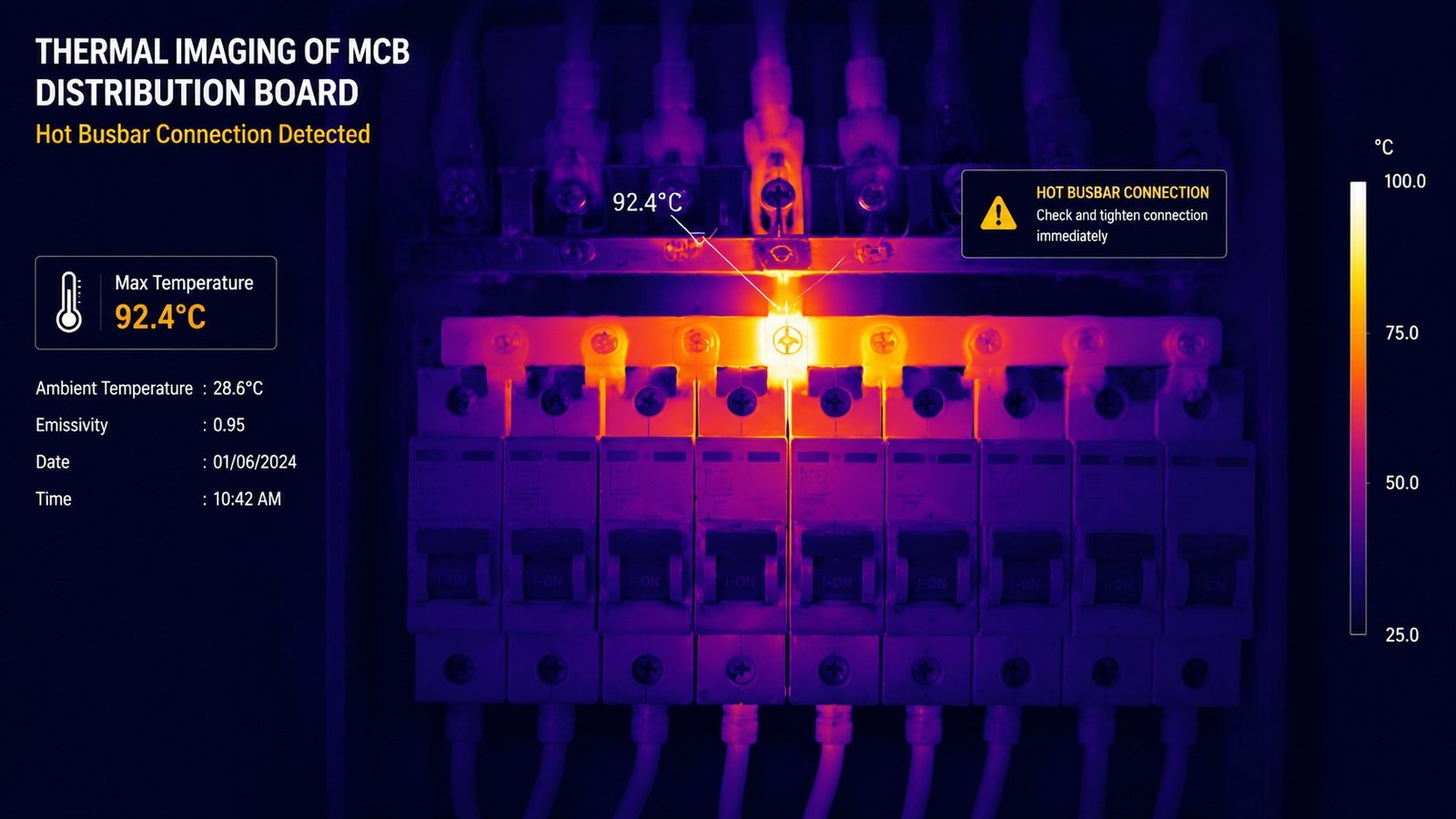
Fix: improve airflow around the board, avoid covering it or stacking materials against it, and derate the busbar if the enclosure runs hot. In demanding environments, schedule thermal imaging of the panel as part of routine maintenance.
How to Diagnose a Hot Busbar Safely
Work through these steps in order, and always de-energize before touching anything:
De-energize and verify. Turn off the main supply and confirm the circuit is dead with a voltage tester.
Visual inspection. Look for brown or blackened copper, yellowed or melted plastic, and burn marks around terminals.
Measure the load. Use a true-RMS clamp meter to check actual current against the busbar rating.
Check torque. Re-torque every busbar terminal to the manufacturer’s specification.
Thermal imaging (optional). Under load, scan the board; a 10–15 °C difference between similar connections marks a faulty joint.
If the busbar shows visible heat damage, replace it. A damaged bar is a permanent risk and should not be “repaired” in place.
How to Fix and Prevent It
Torque every connection to spec at installation, and re-torque during scheduled maintenance.
Size the busbar for real demand , including EV chargers and other high-power loads that older diversity assumptions missed.
Match the busbar to the breaker — series, terminal type, and pitch — and verify alignment before closing the panel.
Keep the enclosure ventilated and free of dust and stored materials.
Schedule thermal inspections every quarter in commercial environments and twice a year in residential ones.
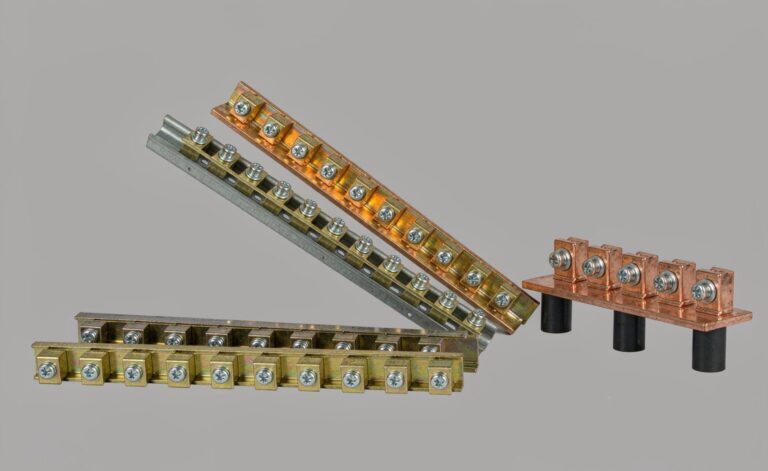
When you do replace a busbar, choose one from a range matched to your breaker family and load; the busbar range covers modular pin, fork, and C45-type options.
FAQ
Is it normal for an MCB busbar to be warm?
Some warmth is normal under load, but a busbar that is hot to the touch, discolored, or more than about 70 °C above ambient indicates a problem that needs investigation.
What is the most common cause of busbar overheating?
Loose terminal connections. A poorly torqued screw raises contact resistance sharply, and thermal cycling gradually loosens connections over time.
Can an undersized busbar overheat?
Yes. If the actual maximum demand exceeds the busbar rating, the bar runs hot continuously, which accelerates insulation damage and fire risk.
How do I check for hot spots on a busbar?
With the panel under load, use an infrared thermometer or thermal camera and look for connections more than 10–15 °C hotter than similar ones nearby.
Should I repair or replace a discolored busbar?
Replace it. Visible heat damage means the material has degraded; a damaged busbar should not be reused in the panel.
What torque should busbar terminals be tightened to?
Follow the manufacturer’s specification, typically 2.5–3.5 N·m for residential MCBs. Always use a calibrated torque screwdriver rather than hand-tightening.
Conclusion
An overheating MCB busbar is almost always a resistance problem: loose screws, an undersized bar, the wrong busbar type, oxidation, or poor ventilation turning current into heat. Catch it early with scheduled inspection and thermal imaging, and fix it by re-torquing, re-sizing, matching the busbar to the breaker, and improving airflow. If you see discoloration or melted plastic, replace the busbar immediately. For a correctly matched replacement, browse the busbar range or contact the manufacturer with your load data and breaker lineup.
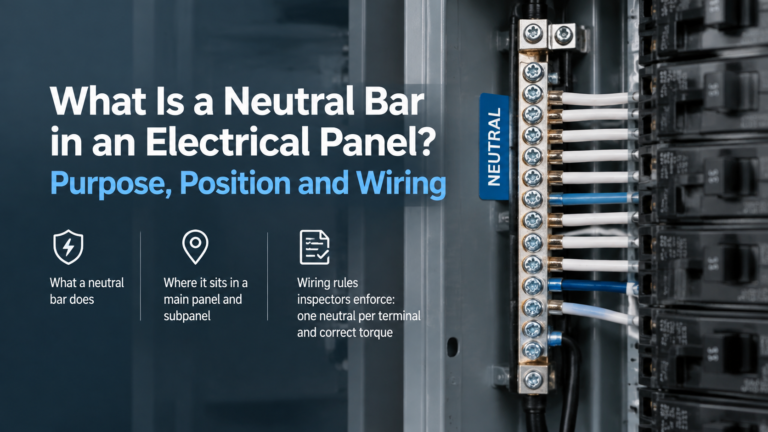
Four constraints determine neutral bar size: terminations needed, unbalanced current per NEC 220.61, largest conductor and mounting centres — with real dimension charts.
The neutral bar is the return path for every line-to-neutral load. How it works, where it sits, when it must be isolated from the enclosure, and the rules that govern it.